Using a delivered Plus account: sign-in and 2FA
Follow the screenshots to sign in, complete 2FA and start using Plus.
Start here
Sign in with email and password → Generate a 2FA code → Enter it on the sign-in page → Start chatting.
On this page
1. Prepare your account
- Have the email, ChatGPT password and 2FA secret from support ready.
- If you need the mailbox password, contact support.
2. Sign in to ChatGPT
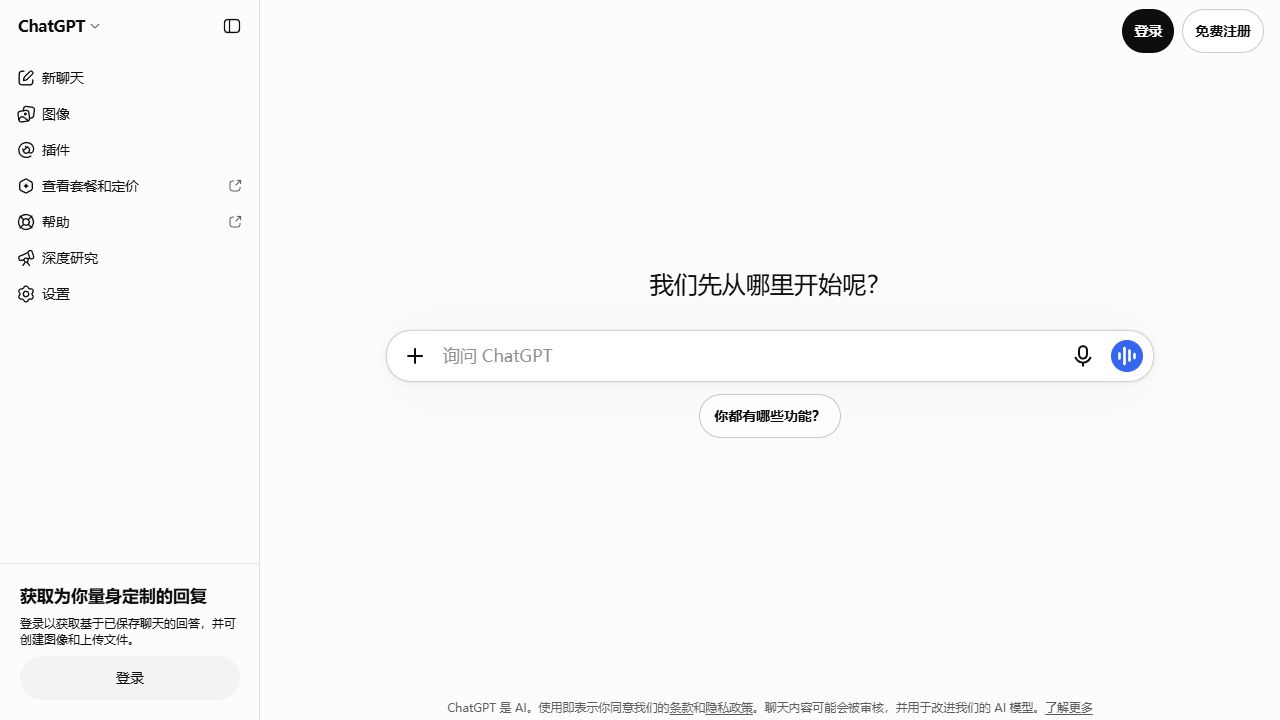
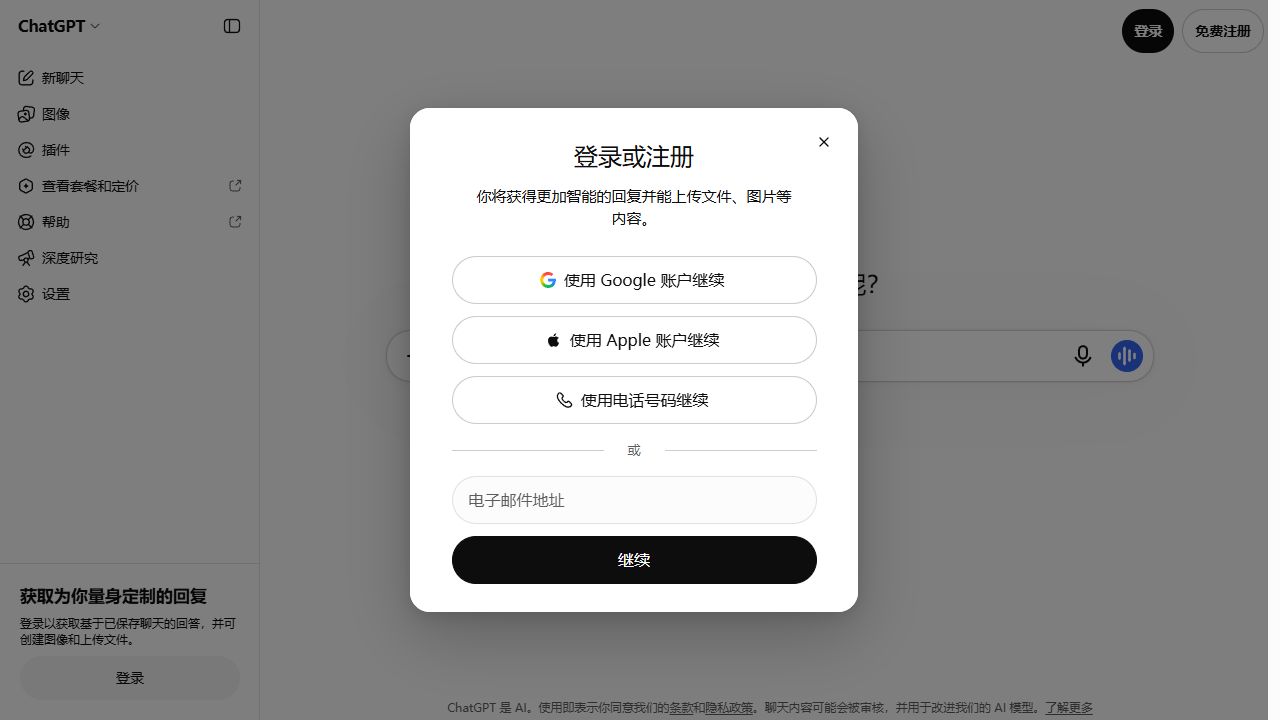
- Open ChatGPT and select 登录 (Log in) at the top right.
- Enter the delivered email, select 继续 (Continue), then enter the ChatGPT password.
- If an authenticator code is requested, follow the next step.
3. Generate and enter the code
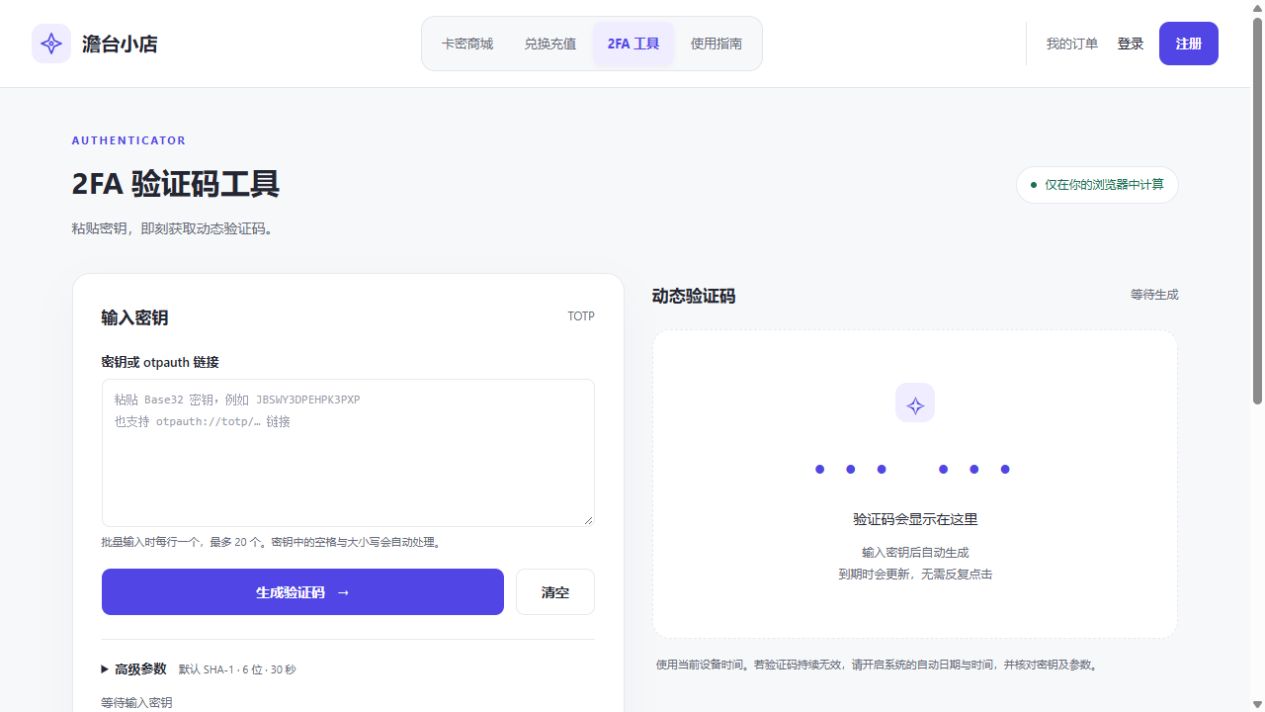
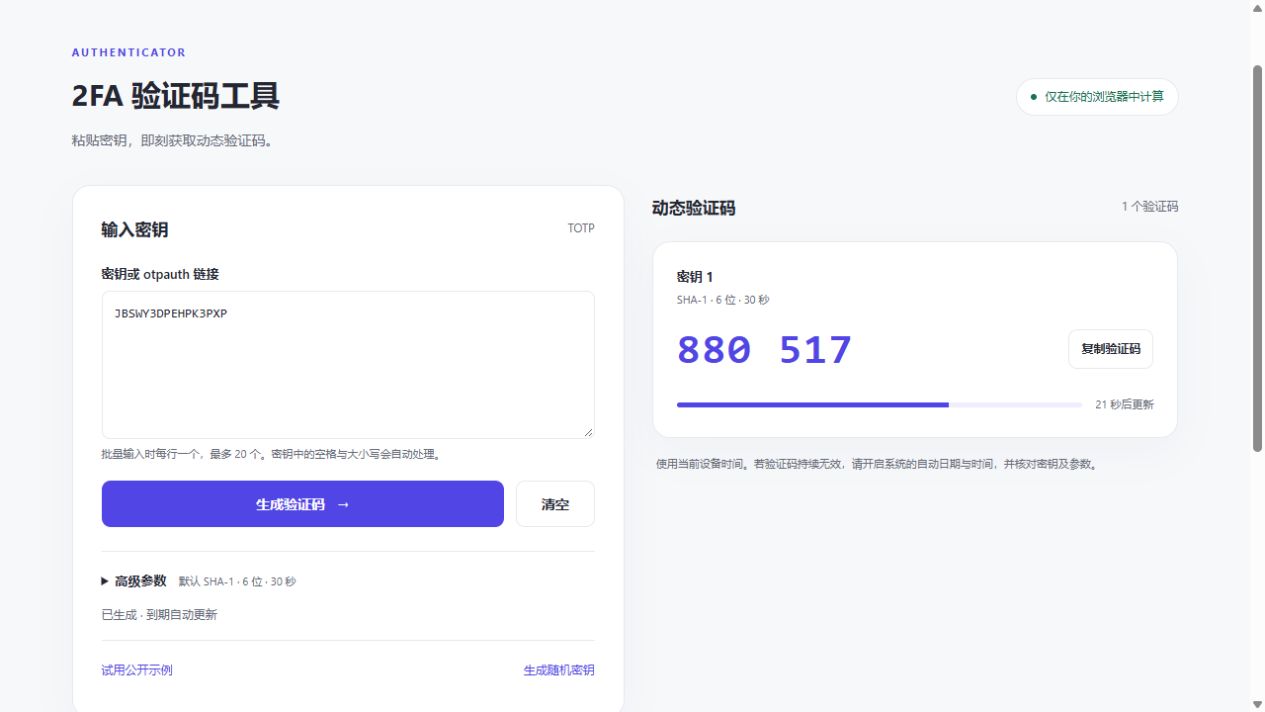
- Open the 2FA tool below and paste the delivered secret into 密钥或 otpauth 链接.
- Select 生成验证码 (Generate code), then 复制验证码 (Copy code).
- Return to the ChatGPT verification page, paste the code and submit.
4. Start using Plus
- Open the account menu and check for Plus under account or subscription settings.
- Return to the chat page and enter your question.
5. Need help?
- For sign-in, verification code or plan issues, contact support.
- See Purchase and after-sales information for support terms.